.svg)





How to get started with Funnel.io: Complete tutorial to unify your marketing data
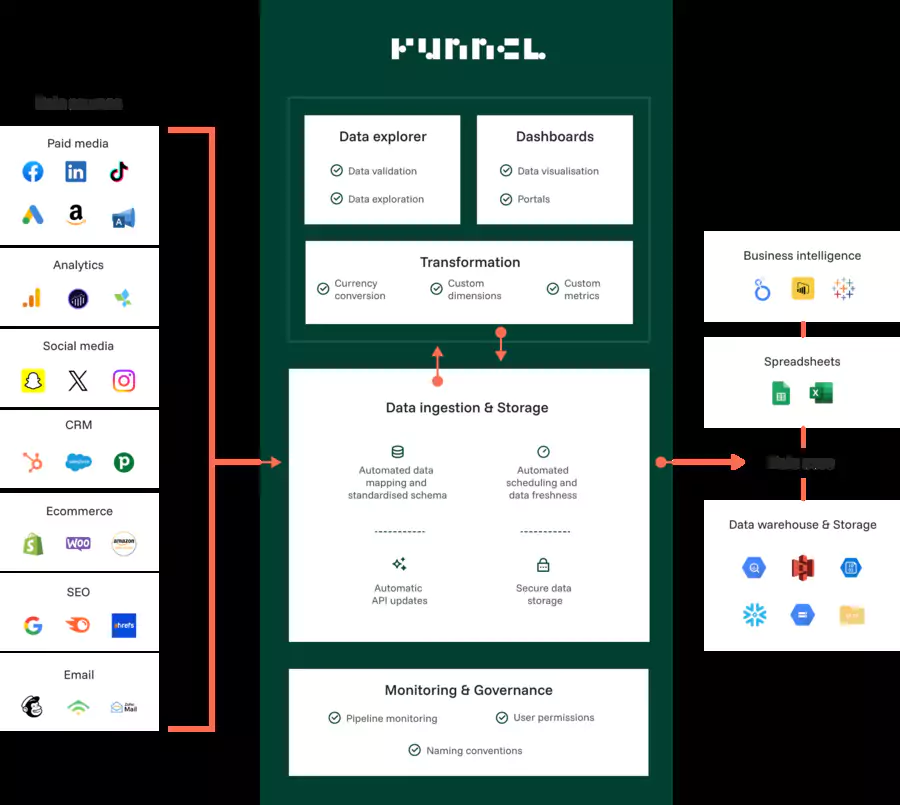
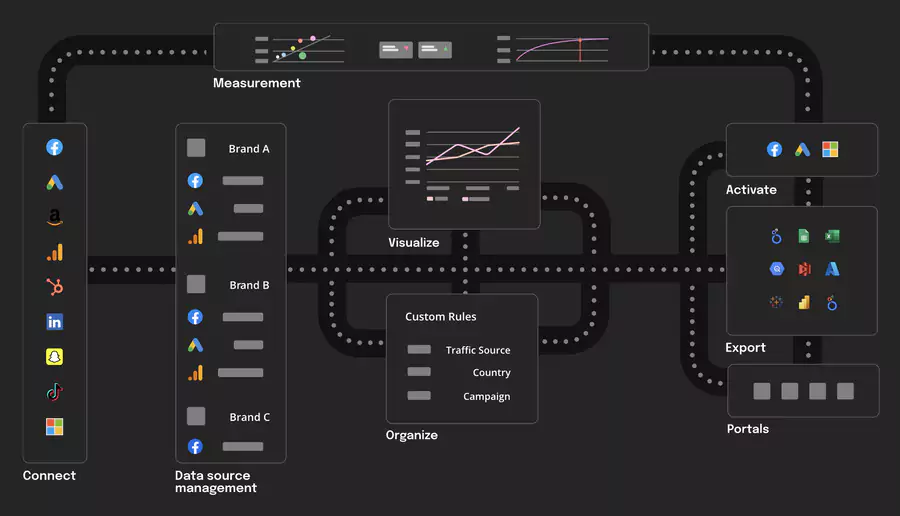
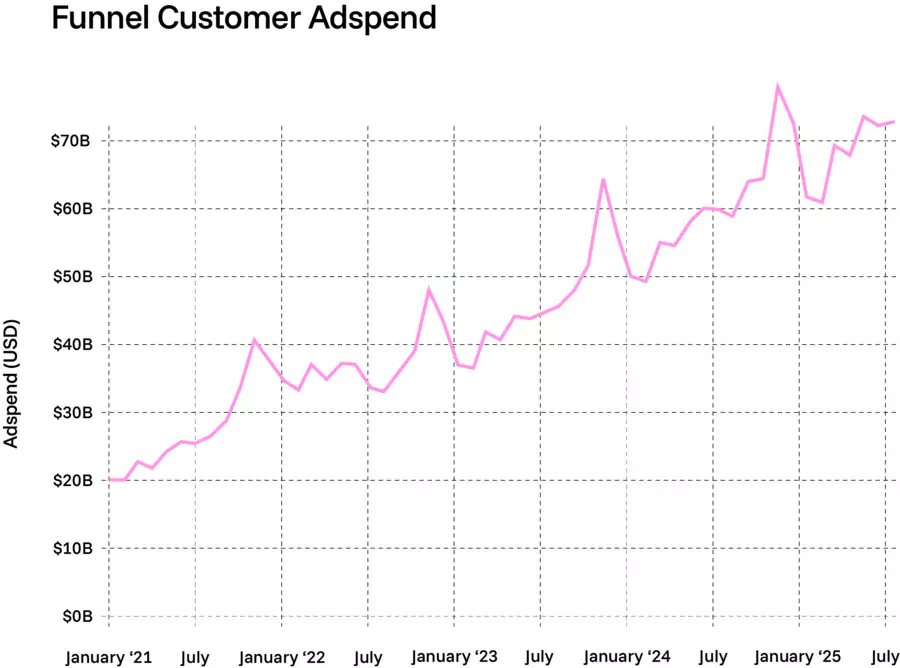
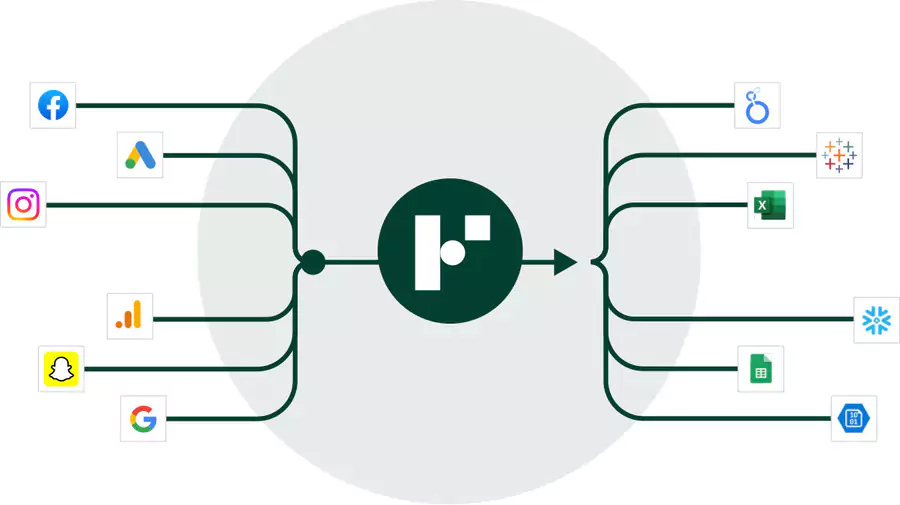
Funnel.io is the reference platform (marketing intelligence platform) for centralizing and analyzing all your marketing data in one place. With over 600 connectors and processing of $80 billion in annual advertising spend, this ETL (Extract, Transform, Load) solution transforms your approach to marketing intelligence.
Step 1: Create your account and choose your plan
Funnel.io's pricing structure is based on a unique "Flexpoints" system that replaces traditional limits on data rows or connectors. This flexible approach allows you to precisely adapt your usage to your real needs, whether you're a startup testing your first channels or a multinational with dozens of data sources.
| 📌 Plan | ⚙️ Included features | 🔗 Connectors | 🎯 Flexpoints | 💶 Price |
|---|---|---|---|---|
| 🆓 Free |
- Limited Starter features - Export to 1 destination only - Ideal for testing the platform |
4 connectors | 400 free | $0 |
| 🚀 Starter |
- Basic modeling - Automated reports - Standard support |
121 connectors | From 500 | From $399/month |
| 🏢 Business |
- Custom integrations - Advanced connectors - Priority support - Ideal for marketing agencies |
579 connectors | From 500 | From $675/month |
| 🌐 Enterprise |
- Advanced governance - Full scaling - Dedicated SLA & compliance (GDPR, SOC2) - Premium customer support |
590+ connectors | Custom | Custom pricing |
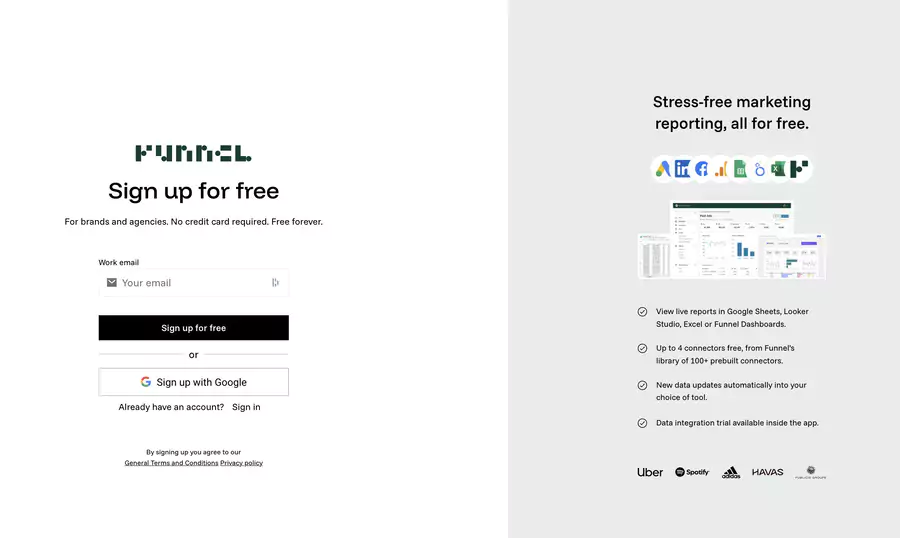
Funnel.io's free plan offers a real opportunity to evaluate the platform without financial commitment, which is rare in the ecosystem of marketing intelligence tools. Here's how to proceed to create your account and immediately activate your first integrations:
- Go to funnel.io and click "
Start for free" - Create your account with your professional email
- Confirm your workspace - each organization has its own workspace
- Activate the 14-day free trial to test Premium features with unlimited flexpoints
Tip: The free plan offers 400 Flexpoints for up to 5 users, equivalent to about 2 data sources and 2 destinations.
Step 2: Connect your data sources
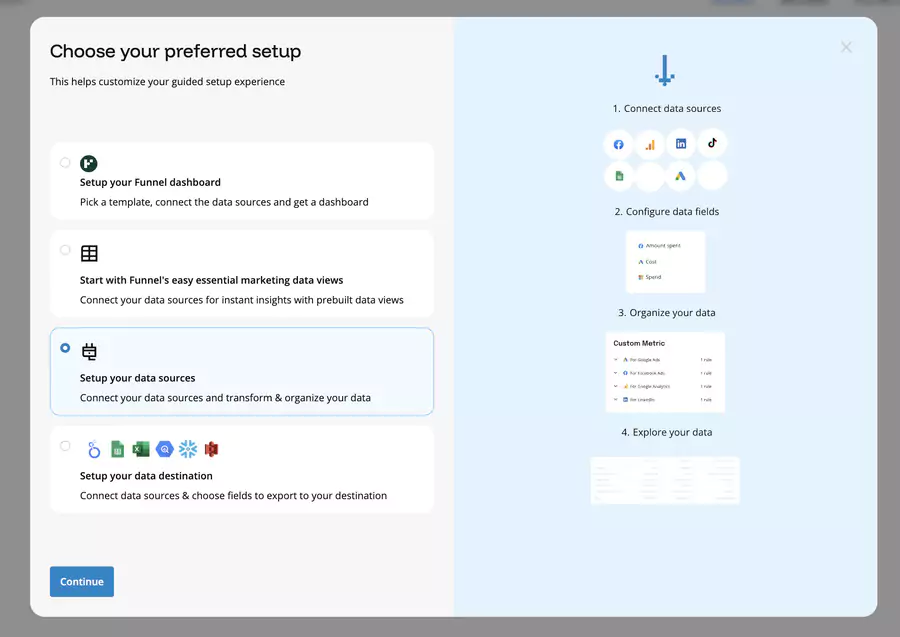
Funnel.io's interface has been designed to maximize the simplicity of discovering and activating new data sources. The connection process follows an intuitive logic that automatically guides you to the most relevant integrations according to your business sector:
Navigation to connectors
- Access
Connect>Data sourcesin the left menu - Browse the library of 600+ available connectors
- Select your first advertising or analytics platform
Types of available connectors
The richness of the Funnel.io ecosystem lies in its ability to adapt to all technology stacks, from SMEs using only Google Ads and Facebook to complex enterprises integrating dozens of specialized platforms
| 📦 Category | ⚙️ Core Connectors (Starter Plan) | 🚀 Premium Connectors (Business / Enterprise) |
|---|---|---|
| 📢 Advertising |
- Google Ads - Meta Ads (Facebook / Instagram) - Microsoft Advertising (Bing) - TikTok Ads |
- Amazon DSP - Adobe Advertising Cloud - The Trade Desk - Criteo |
| 📊 Analytics |
- Google Analytics 4 - Adobe Analytics (basic) - Google Search Console |
- AppsFlyer - Adjust - Branch (advanced mobile tracking) |
| 🛒 E-commerce |
- Shopify - WooCommerce - Magento |
- Advanced marketplace platforms (Amazon Vendor, Zalando Partner, etc.) |
| 🤝 CRM |
- HubSpot - Salesforce (standard level) - Pipedrive |
- Advanced CRM integrations (Salesforce Enterprise, Dynamics 365 Marketing) |
| 🌐 Social Media |
- Facebook Pages Insights - LinkedIn Ads & Pages - YouTube Analytics |
- Snapchat Ads - Reddit Ads - Pinterest Ads (advanced reporting) |
| 💼 Affiliate & Partner | — (not included in Starter) |
- Awin - CJ Affiliate - Impact - Partnerize |
Connector configuration

Connector configuration follows a standardized approach that facilitates onboarding even for the most complex platforms.
- Select "
Google Ads" from the connector list - Authorize access by logging into your Google account
- Choose your advertising accounts to sync
- Configure settings:
- Metrics: Impressions, Clicks, Cost, Conversions
- Dimensions: Campaign, Ad Group, Keywords, Device
- Historical period: Up to 2 years of data
- Save the connection
Important: Funnel synchronizes your data automatically every hour with a reliability rate of 99.95%.
However, marketing teams often need to use external tools for data cleaning and preparation before analysis due to Funnel.io's limited data transformation capabilities.
Step 3: Define your export destinations
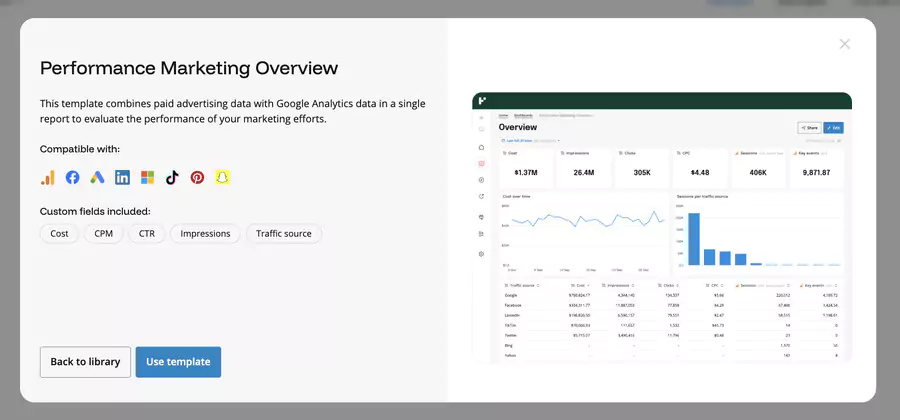
Your choice of export destinations directly determines the efficiency of your analysis workflow.
Funnel.io offers an extensive range of destinations to adapt to all technical environments, from cloud-native solutions to traditional on-premise infrastructures.
Available destinations
Basic Destinations (Free/Starter Plan):
- Google Sheets: Direct export to spreadsheets
- Funnel Dashboards: Integrated dashboards
- Looker Studio: Free Google reports
Premium Destinations (Business/Enterprise Plans):
- Data Warehouses: BigQuery, Snowflake, Redshift, Azure Synapse
- BI Tools: Power BI, Tableau, Qlik Sense
- Databases: MySQL, PostgreSQL, SQL Server
- Cloud Storage: AWS S3, Google Cloud Storage
Configuring a destination
The simplicity of destination configuration masks the underlying technical sophistication. Funnel.io automatically handles data schemas, format transformations and error management.
Example with Google Sheets:
- Access
Connect>Destinations - Select "
Google Sheets" - Authorize access to your Google account
- Create a new sheet or select an existing one
- Configure export settings:
- Frequency: Real-time, hourly, daily
- Format: Pivot table or raw data
- Filters: By date, campaign, or custom dimension
Step 4: Configure data transformations and rules
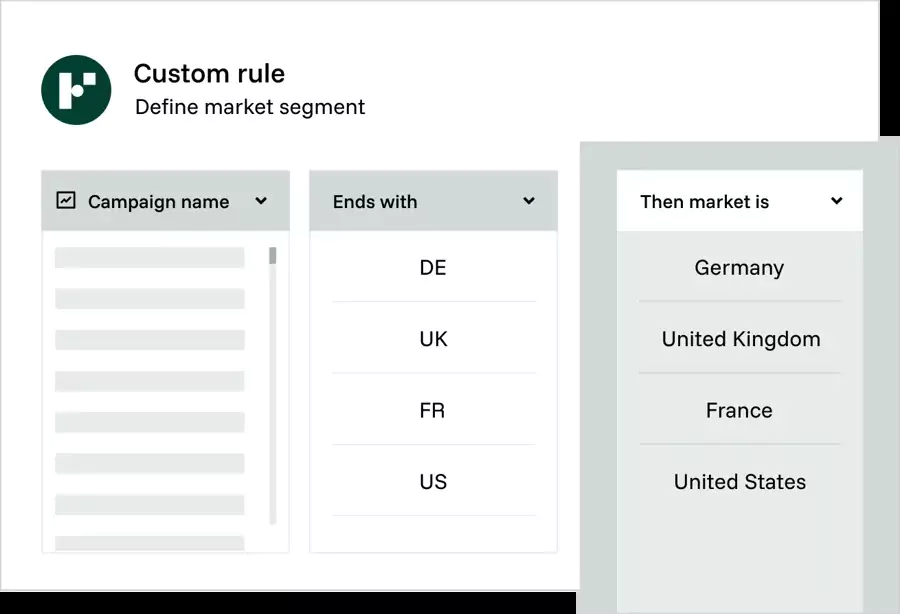
Creating custom dashboards facilitates business activity management. Additionally, KPI automation enables performance improvement with Funnel io.
Automatic standardization
One of the major challenges of unifying marketing data lies in harmonizing the different formats, currencies and nomenclatures used by each platform. Funnel.io solves this complexity through its artificial intelligence engine that automatically applies mapping rules.
Field normalization:
- "
Spend" (Google Ads) → "Cost" (Facebook Ads) → "Cost" unified - "
Campaign Name" standardized across all platforms - Currencies automatically converted according to your preferences
Custom transformations
Beyond automatic standardization, you can create specific business rules that reflect the unique organization of your campaigns and marketing objectives.
Example: "2024_Q4_BlackFriday_Search" →
- Year: 2024
- Quarter: Q4
- Campaign: BlackFriday
- Type: Search
Configuration in Funnel:
- Access
Data Hub>Transformations - Create a custom rule:
- Condition: If campaign name contains "BF"
- Action: Add "Black Friday" tag
- Application: All data sources
- Test the rule on a data sample
- Activate the transformation
Duplicate removal and cleaning
Data quality conditions the reliability of your analyses. Funnel.io integrates advanced anomaly detection and correction mechanisms that preserve the integrity of your reports.
Automatic deduplication rules:
- Detection of multiple imports of the same metric
- Temporal reconciliation between platforms
- Filtering of test data and sandbox accounts
Step 5: Create your reports and dashboards

Ready-to-use dashboard templates
Funnel.io accelerates your time-to-value through a library of pre-configured templates that cover the most common marketing use cases. These templates integrate industry best practices and can be customized according to your specific KPIs.
- Performance Overview: Multi-platform overview
- Paid Social Analysis: Focus on Facebook, Instagram, LinkedIn
- Search Marketing: Google Ads and Microsoft Advertising
- E-commerce Performance: ROI and sales attribution
- Creative Performance: Ad creative analysis
Creating a custom dashboard
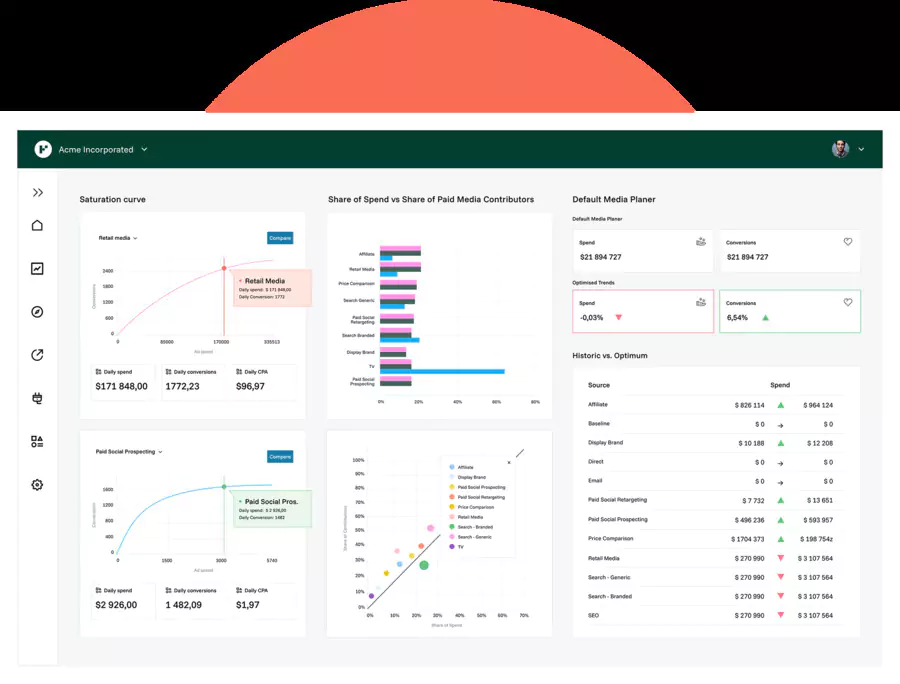
Creating a custom dashboard in Funnel.io follows a guided approach that helps you structure your visualizations according to your business objectives. The drag-and-drop interface facilitates experimentation and rapid iteration.
- Navigate to
Dashboards>Create Dashboard - Select your connected data sources
- Choose your main KPIs:
- ROAS (Return on Ad Spend): Revenue / Advertising Cost
- CPL (Cost Per Lead): Cost / Number of leads
- LTV:CAC: Lifetime Value / Customer Acquisition Cost
- Impression Share: Share of voice vs competition
- Conversion Rate: Conversions / Clicks
- Configure your visualizations:
- Line charts: Temporal evolution of performance
- Comparative tables: Performance by platform/campaign
- Pie charts: Budget distribution
- Heat maps: Performance by geography
Advanced filtering and segmentation
Funnel.io's analytical power is fully revealed through its filtering and segmentation capabilities. These features allow you to dig beyond surface metrics to identify the real performance drivers.
Available filters:
- Period: Comparison day/week/month/previous year
- Platform: Focus on specific channels
- Geography: Performance by country/region
- Device: Desktop vs Mobile vs Tablet
- Audience: Custom demographic segments
Step 6: Analyze historical data
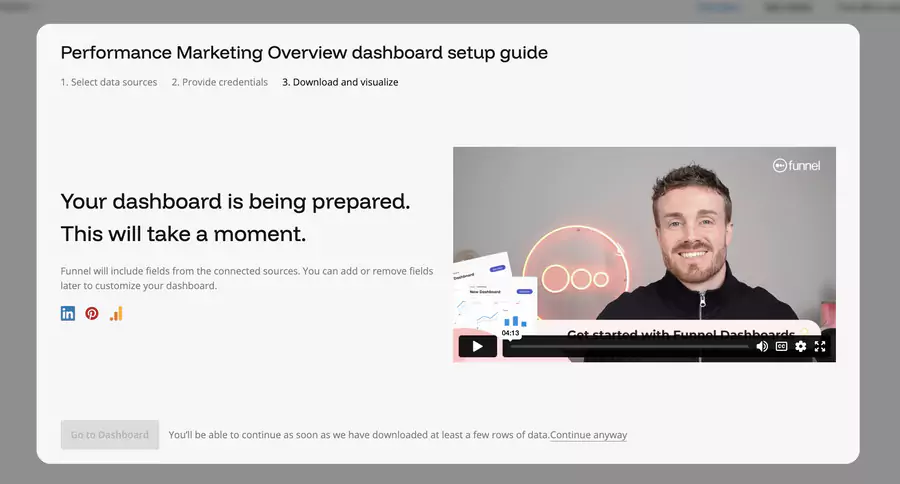
Trend analysis
Historical analysis in Funnel.io goes far beyond simply consulting past data. The platform offers sophisticated comparative analysis tools that reveal hidden patterns and optimization opportunities.
| 📌 Indicator | 📅 Current Results | 📈 Evolution vs Previous Year | 🚀 Interpretation |
|---|---|---|---|
| 👥 Traffic (sessions) | 15,240 | ▼ -8% | Slight audience decrease, to monitor (SEO / less performing campaigns?) |
| 💰 Marketing budget | $8,500 | ▼ -15% | Optimization effort: less spending compared to last year |
| 🎯 Leads generated | 1,247 | ▲ +12% | Improved campaign quality despite traffic decrease |
| 📊 Conversion rate | — | ▲ +59% | Excellent progress — more effective content and targeting |
| 💸 Cost per lead | — | ▼ -45% | Very strong budget performance, ROI significantly improved |
Actionable insights
The real value of historical analysis lies in its ability to generate actionable insights that directly impact your strategic decisions. Funnel.io facilitates this transformation of data into concrete actions.
- Seasonality: Performance peaks by quarter/month
- Cross-platform attribution: Display campaign impact on search
- Creative fatigue: Creative performance decline over time
- Audience overlap: Cannibalization between platforms
Advanced marketing modeling
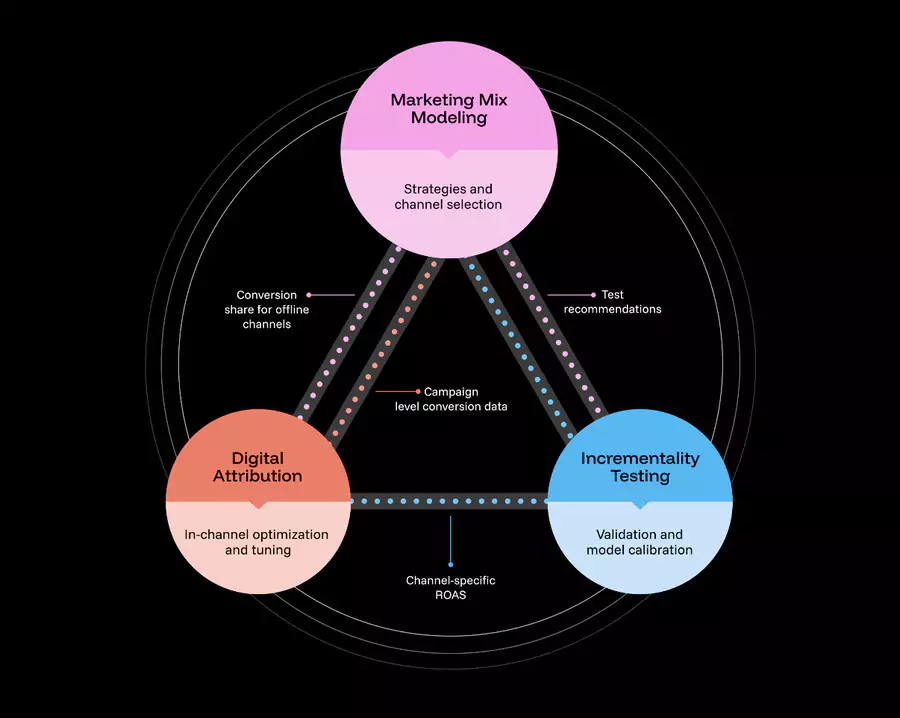
Funnel Measurement, the platform's advanced AI module, transforms your historical data into reliable predictions and optimization recommendations.
This scientific approach to marketing mix modeling revolutionizes budget decision-making.
- AI-based attribution to identify real performance drivers
- Incrementality analysis: Which budget actually generates additional sales
- Budget optimization: Intelligent reallocation between channels
- Performance predictions: Forecasting based on historical data
Optimization tips and best practices
Recommended data architecture
A well-designed data architecture from the start avoids costly migrations and complex reorganizations when your use of Funnel.io becomes more sophisticated.
These best practices reflect the experience of thousands of enterprise users.
Optimal workspace organization:
- 1 workspace per brand/region to avoid confusion
- Standardized campaign nomenclature before import
- User permissions defined by role (read/write/admin)
Monitoring and alerts
Proactive monitoring of your marketing performance and data quality ensures maximum responsiveness to opportunities and anomalies. Funnel.io offers configurable alert systems that adapt to your critical thresholds.
Strategic alert configuration:
- Performance decline: -20% ROAS week/week
- Source disconnection: Immediate notification if API fail
- Budget overspend: Alert at 90% of monthly budget
- Data anomalies: Automatic detection of outliers
Conclusion and critical review

Funnel.io strengths
Funnel.io automates data collection from multiple sources and prepares it for analysis.
- Exceptional reliability: 99.95% uptime and supporting $80 billion in advertising spend
- Connector scale: 600+ native integrations vs limited competition
- Intelligent automation: Automatic data mapping and transformation
- Enterprise security: SOC 2 Type II, HIPAA, SSO for large organizations
- Many users praise the responsiveness of Florent and his team.
Limitations and challenges
Funnel.io is perceived as not very intuitive and may require a learning curve for new users.
- Pricing complexity: The Flexpoint system can be unpredictable and expensive
- Learning curve: Initial setup requires technical expertise
- High cost: Between $1,500 and $2,500/month for most intensive users (Funnel.io pricing can escalate quickly depending on the number of connectors and data processed.)
- Connector support: Some connectors can be "half-baked" according to users
- Funnel.io can pose reliability issues due to failing connections.
Usage recommendations

Many companies use Funnel.io to unify and align data across different channels, thus facilitating reporting and decision-making.
Funnel.io is perfect for:
- Marketing agencies managing multiple clients and platforms
- E-commerce with advertising budgets >$50k/month
- Enterprise companies requiring compliance and governance
- Analytics teams seeking automation and reliability
Alternatives to consider:
- Supermetrics: Simpler, cheaper for SMEs
- Whatagraph: Agency focus with white-label reports
- Windsor.ai: Open-source alternative for developers

FAQ
How much does Funnel.io really cost?
The Business plan starts at $675/month, but most users pay between $1,500 and $2,500/month depending on their Flexpoint usage. Use the price calculator for an accurate estimate.
Can I import historical marketing data?
Yes, Funnel.io allows importing up to 2 years of historical data during the initial configuration of a connector. Data is automatically retrieved and harmonized.
What happens if I exceed my Flexpoints?
Data sources automatically pause. Your data and configurations remain intact. You can upgrade your plan or wait for monthly renewal.
Does Funnel.io work in real-time?
Data is synchronized every hour for most connectors. Some platforms like Google Ads may have 24-48h API delays for conversion data.
Can I customize data transformations?
Absolutely. Funnel.io offers transformations via graphical interface (conditional rules) and custom SQL for advanced use cases.
Does Funnel IO integrate with Looker Studio and Google Analytics?
Yes, Funnel IO integrates with Google Analytics and Looker Studio via native connectors: it automatically collects GA data then sends it to Looker Studio to create quick and code-free dashboards